MCP Orchestrations vs Flows and AI Builder: A Practical Comparison (Part C)
Jan 08, 2026
Generative Orchestration versus Deterministic Automation
The defining difference between Model Context Protocol (MCP) and traditional automation in the Power Platform is how decisions are made. MCP enables intent‑driven orchestration inside Copilot Studio. When an agent receives a plain‑English instruction, it reasons over that intent, discovers the tools and resources a connected MCP server exposes, and decides at runtime which tool to call and in what sequence. The outcome is a conversation‑like experience where the agent chooses and coordinates steps based on context, not a pre‑wired set of actions.
Power Automate flows take the opposite path. They are deterministic by design. A flow triggers on an event, follows explicit branches, and completes a predefined series of actions with retries, timeouts, and approvals. Where MCP thrives on flexibility and dynamic capability discovery, flows excel in predictability, repeatability, and the guarantees organisations need for regulated processes. Understanding this contrast is the starting point for deciding which approach to use, and when.
The Stack: How MCP, Flows and AI Builder Interlock
MCP sits inside Copilot Studio and rides on the Power Platform’s connector fabric. That placement matters because it brings established governance—virtual network integration, data loss prevention policies, authentication, and environment boundaries—into MCP without inventing a new security story. Agents discover server‑published tools and resources as first‑class actions, and the server’s updates are reflected automatically. When the agent calls a tool, activity tracing in Copilot Studio shows which server and tool ran, which is essential for tuning instructions and diagnosing issues.
Flows remain the backbone for durable, auditable execution. Agents can trigger flows whenever a process must be guaranteed end‑to‑end, such as approvals with service‑level expectations, escalations, or long‑running state. Flows integrate with hundreds of connectors and provide operational guardrails, resiliency, and a familiar application lifecycle management model for enterprise teams.
AI Builder occupies the intelligence layer of the stack. It provides prebuilt and custom models for document extraction, classification, and prediction, along with governance features such as capacity monitoring and human‑in‑the‑loop validation. In practice, AI Builder turns unstructured content into clean, structured data that MCP or flows can act on. The three layers—MCP, flows, and AI Builder—are complementary rather than competitive, and the best solutions lean on each where it is strongest.
MCP’s Advantages You Feel on Day One
MCP reduces integration friction by letting you publish business functions once on an MCP server and allowing agents to consume them dynamically. In our Injury Guard AI deployments, publishing triage and classification functions as server tools eliminated a long tail of hand‑added actions in Copilot Studio. When a rule changed, we updated the tool contract on the server and the agent automatically reflected the change. That single‑source‑of‑truth model removed re‑binding work and reduced the risk of drift between intent and implementation.
Observability improves because tool invocations are visible in the activity map. Instead of guessing which step failed, you can see the exact server and tool that ran, the inputs the agent passed, and the point of failure. We used this visibility to tighten instructions when an agent chose a valid but suboptimal tool, and to correct edge cases without rewriting entire topics.
Dataverse as an MCP server amplifies the benefits. Common operations—describe a table, list records, read and update fields, execute stored prompts—are exposed as standardised tools the agent can discover and call. We saw immediate gains in Safe Havens AI when agents needed to traverse case relationships and apply safeguarding taxonomies. The agent described the relevant tables, fetched candidates following organisational hierarchies, and applied classifications expressed in plain English, asking for clarification only when ambiguity remained. The UI remained thin because the logic lived in intent and server tools, not in page‑level wiring.
Governance remains intact because MCP uses the connector envelope. Least‑privilege roles, network isolation, DLP policies, and solution‑based ALM all continue to apply. That continuity is a quiet advantage: it makes MCP adoptable without forcing new compliance pathways or security exceptions.
Where Flows Remain Non‑Negotiable
Deterministic orchestration still anchors regulated pathways. Approvals, insurer notifications, and time‑bounded escalations in Injury Guard AI demand guaranteed execution and explicit audit trails. Power Automate provides durable state, retries, compensating actions, and human‑in‑the‑loop checkpoints that generative orchestration does not yet match for compliance‑critical sequences. When an SLA requires a decision within a fixed window, or when an audit must reconstruct each step with timestamps and inputs, flows are the right tool.
Legacy UI automation is another area where flows matter. While Copilot Studio continues to add agentic capabilities, Power Automate Desktop remains the safe choice for desktop and web UI interactions in systems without APIs. In our experience, MCP and flows coexist comfortably: MCP handles intent, data navigation, and capability discovery; flows handle guarantees, escalations, and RPA where required.
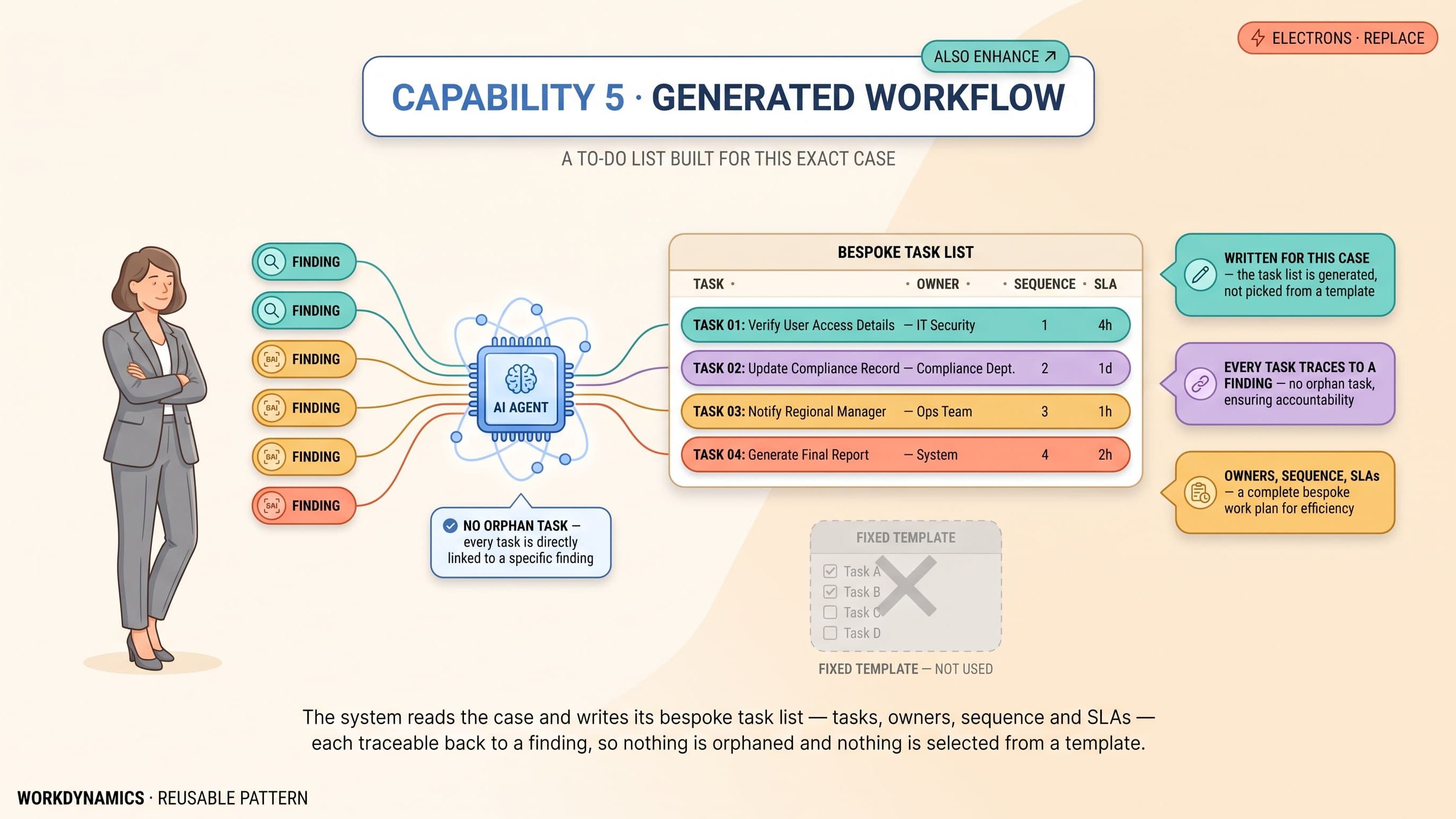
The practical pattern we repeat is simple. Let the agent reason, call MCP tools, and prepare a clean payload with context and proposed actions. Hand off to a flow for the parts of the process that must be deterministic, then return control to the agent for conversational follow‑up or status updates. This blend delivers speed without giving up the governance and reliability stakeholders expect.
Why AI Builder Continues to Matter
Document intelligence is a constant need in both Injury Guard AI and Safe Havens AI. Incident forms, statements, medical notes, and evidence packs arrive in varied formats, and they need to be understood and structured before any workflow can act. AI Builder’s document models do this heavy lifting, and validation stations let reviewers check and approve extracted data where policy demands a human eye.
We embed AI Builder upstream of MCP and flows. When a reporter uploads a multi‑page statement, AI Builder extracts the key fields and flags any low‑confidence elements for review. MCP then uses the cleaned data to update case entities via Dataverse tools and presents a summary to the user. If regulated notifications or escalations are required, a flow coordinates those steps with the precision and auditability they require. That split of responsibility keeps the intelligence in the right place and ensures the downstream orchestration is working with trustworthy data.
AI Builder’s role is broader than extraction. Classification, prediction, and language analysis all feed agent decision‑making and flow branching. Treat it as the analysis layer that turns messy inputs into reliable signals, then let MCP and flows do the acting.
Decision Heuristics for Makers and Architects
Choosing the right approach benefits from a few plain‑English heuristics. If the task is open‑ended and intent‑driven, prefer MCP. That includes triage, case updates, schema‑aware reads and writes, relationship traversal, and classification where the agent should decide the best next step based on context. MCP’s dynamic tool discovery and automatic updates will save time and reduce maintenance.
If the task is regulated, repeatable, and time‑bounded, prefer flows. Approvals, insurer submissions, mandated notices, escalation chains, and anything that requires guaranteed sequencing and durable state belong in deterministic automation. Design these flows modularly to avoid monoliths, and use solution‑based ALM to control promotion and rollback.
If the task is document intelligence or prediction, prefer AI Builder. Put it where unstructured content enters your system. Extract, classify, validate, and produce structured records and confidence scores, then pass them downstream. Keep human‑in‑the‑loop wherever policy or risk requires it.
If the requirement blends knowledge and action, combine RAG and MCP. Use retrieval‑augmented answers for policy knowledge, historical case notes, and guidance that improves reasoning. Use MCP tools to execute the next step so actions remain governed and auditable. Separating knowing from doing reduces hallucination risk and keeps the operational trail clear.
Finally, if the solution spans all three, resist the urge to force a single tool to do everything. MCP is your capability plane, flows are your deterministic spine, and AI Builder is your intelligence layer. Treat each as a first‑class citizen in architecture, testing, and operations, and wire them together with clean interfaces and clear ownership.
Looking Forward: Multi‑Agent Orchestration and Practical Steps
Multi‑agent orchestration is the next phase of this story. As specialised agents collaborate across Microsoft 365, Azure AI and Fabric, MCP becomes the standard capability plane that lets agents discover and use tools consistently, while orchestration governs who does what and when. In our roadmap, triage agents, scheduling agents, and escalation agents coordinate around shared context, with MCP providing capabilities and flows providing guarantees. The promise is faster end‑to‑end outcomes without sacrificing control.
The practical steps to move from idea to production are straightforward. Start by isolating a workflow where MCP’s dynamic discovery will remove maintenance pain, such as triage or classification. Publish those functions as MCP tools with typed inputs and outputs. Enable Generative Orchestration in a development environment and capture activity traces to tune instructions and catch edge cases early. Bring in Dataverse as an MCP server for schema‑aware reads and writes, and keep role‑based access tight. Add flows for any regulated sequences and set up monitoring so failures route to the right owner quickly. Place AI Builder at every document intake point, and define validation thresholds and human checkpoints with policy owners. Wrap it all in solution‑based ALM so change is controlled, and adopt an operating rhythm where server tool changes are versioned, announced, and telemetry‑backed.
The result is a system that thinks and acts in plain English, navigates data and metadata without heavy UI logic, guarantees the steps that must be guaranteed, and turns messy content into clean signals. For teams working in injury management and safeguarding, that combination is not only more efficient; it is more responsible. It keeps the focus on outcomes—accurate reporting, correct linkage, appropriate classification, and timely action—while the platform carries the mechanics. That is the practical value of MCP alongside flows and AI Builder, and it is the foundation for agentic workplaces that scale with confidence.
Closing thought
MCP orchestrations, flows and AI Builder aren’t competitors; they’re complementary layers. MCP is your agent’s capability plane, flows are your deterministic spine, and AI Builder is your document and prediction intelligence. Use each where it’s strongest and you’ll deliver agentic systems that move faster, change safer, and operate under the governance your organisation requires.
WorkDynamics is here to help. Our eBook, Designing the Future of Work: Agentic Solutions for Scalable Digital Labour, offers twelve practical approaches to activating digital labour, modernising legacy systems, and building agentic workplaces. It includes real-world examples, frameworks, and access to ready-to-deploy solutions.